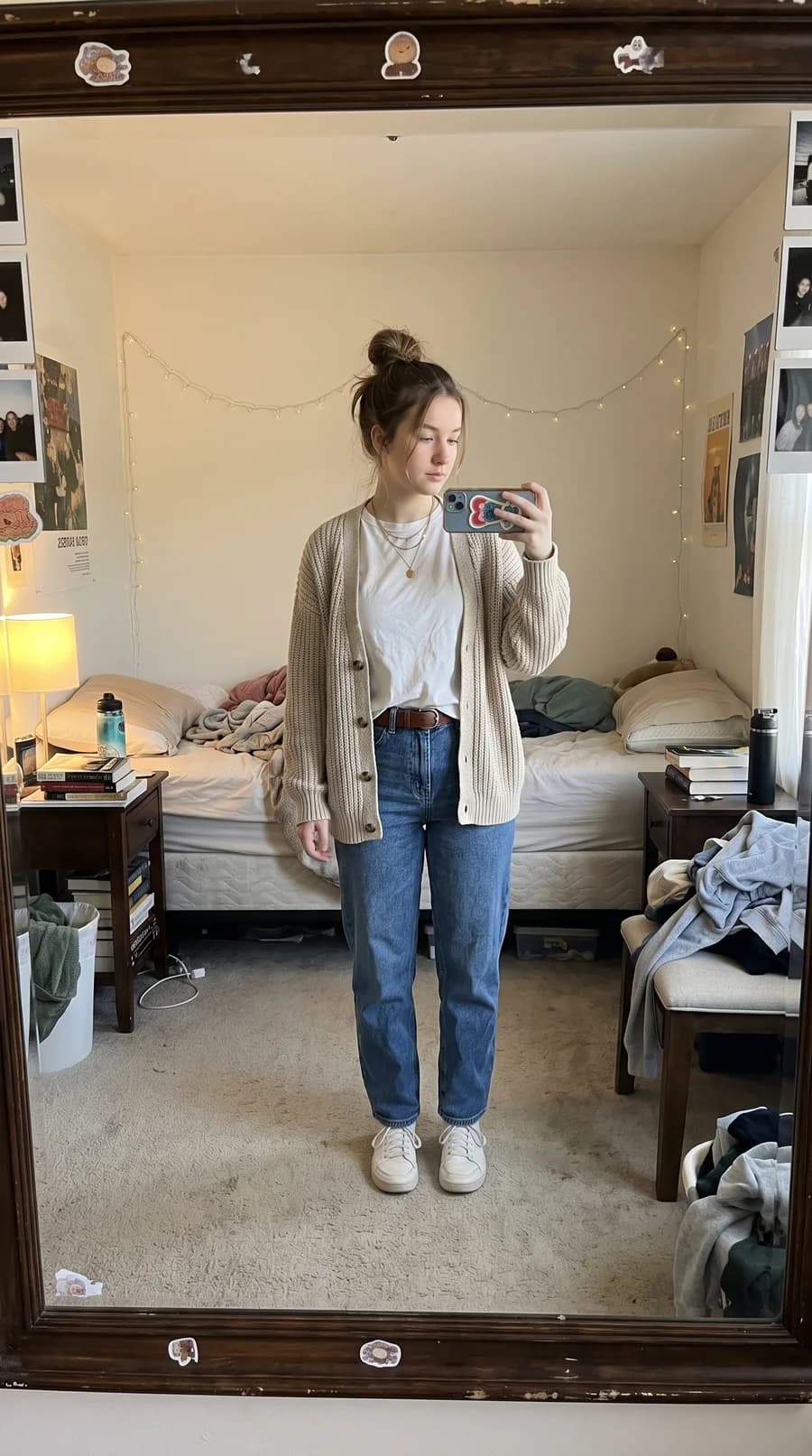
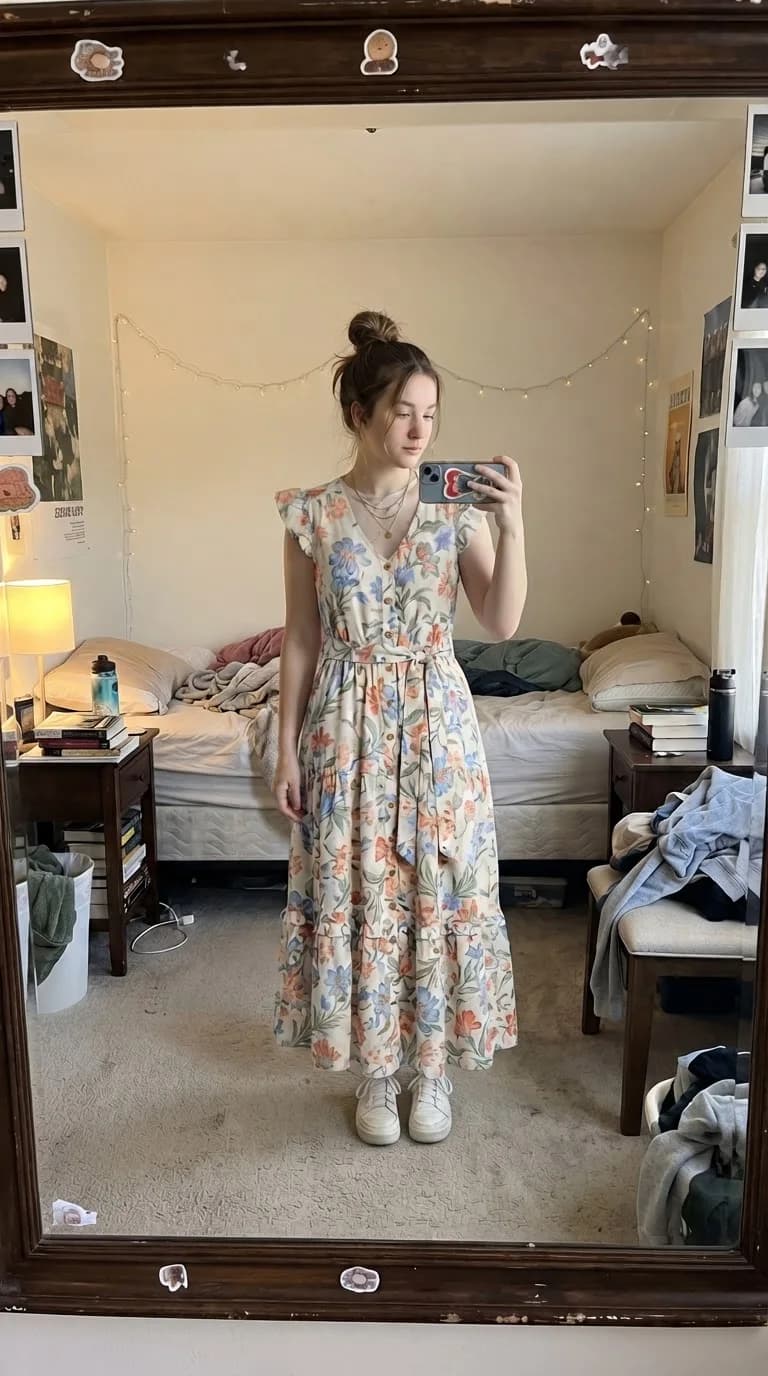
Floral dress — After
Floral dress
Try it for free1. Choose a workflow for the garment you found
Have a product with a try-on button, or a garment image already saved? Start with the exact item, colour and variant you want to compare. A useful preview should help you decide what to investigate before ordering.
This guide is published by VirtuStyle. The upload instructions describe our service; the example on this page is a VirtuStyle illustration. We have not run an independent accuracy comparison with Google and do not claim a partnership.
2. Check Google Try-On availability
Google lists South Korea, Singapore and the US among supported countries. Product eligibility and account requirements also apply; check the linked official guide.
For your own comparison, note the exact garment, image quality and detail you want to inspect. Keep those conditions consistent rather than comparing unrelated outfits.
3. Preview your own garment image in VirtuStyle
Prepare a clear standing photo of yourself and a separate image of the selected garment. Keep the area you want to dress visible, use even lighting and avoid obstructions. Choose a garment image where the neckline, sleeves and hem are easy to see.
Open the fitting room, add both image files and start the preview after signing in. Pasting a product URL does not automatically import an item. One free try-on is available per day; check the pricing page for additional attempts.
4. Compare the preview with the original
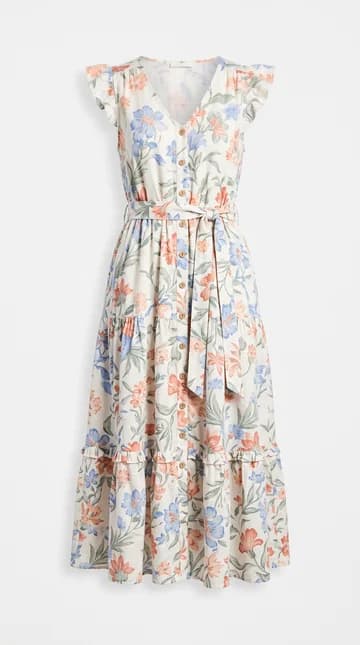
Use the dress example to switch between Before and After, then inspect the small garment image. Compare the neckline, sleeves, colour and overall silhouette. This is a demonstration of the workflow, not a test of Google’s output.
When comparing your own options, keep the person photo unchanged and vary the garment. AI can alter patterns, buttons and proportions. Before buying, check measurements, the specific size chart, fabric information and returns with the seller.
Frequently asked questions
Can I paste a shop link into VirtuStyle?→
This workflow uses two uploaded image files. Automatic product-link import is not offered here.
Can I try VirtuStyle for free?→
After signing in, one free try-on is available per day. Additional attempts depend on your available credits or plan.
Which preview is more accurate?→
We have not performed a controlled comparison. Check each generated image against the original garment and do not use it as a size recommendation.
What to remember
Choose a workflow that accepts the item you want to explore. Use the photo preview to shortlist a look, then use the seller’s information to decide what to order.