AI demonstration: AI-generated model and swimsuit; no brand affiliation — After
AI demonstration: AI-generated model and swimsuit; no brand affiliation
Try it for free1. What our swimwear demonstration shows
Explore a swimwear style on your photo. Learn how to prepare images, review our AI demonstration and understand its limits.
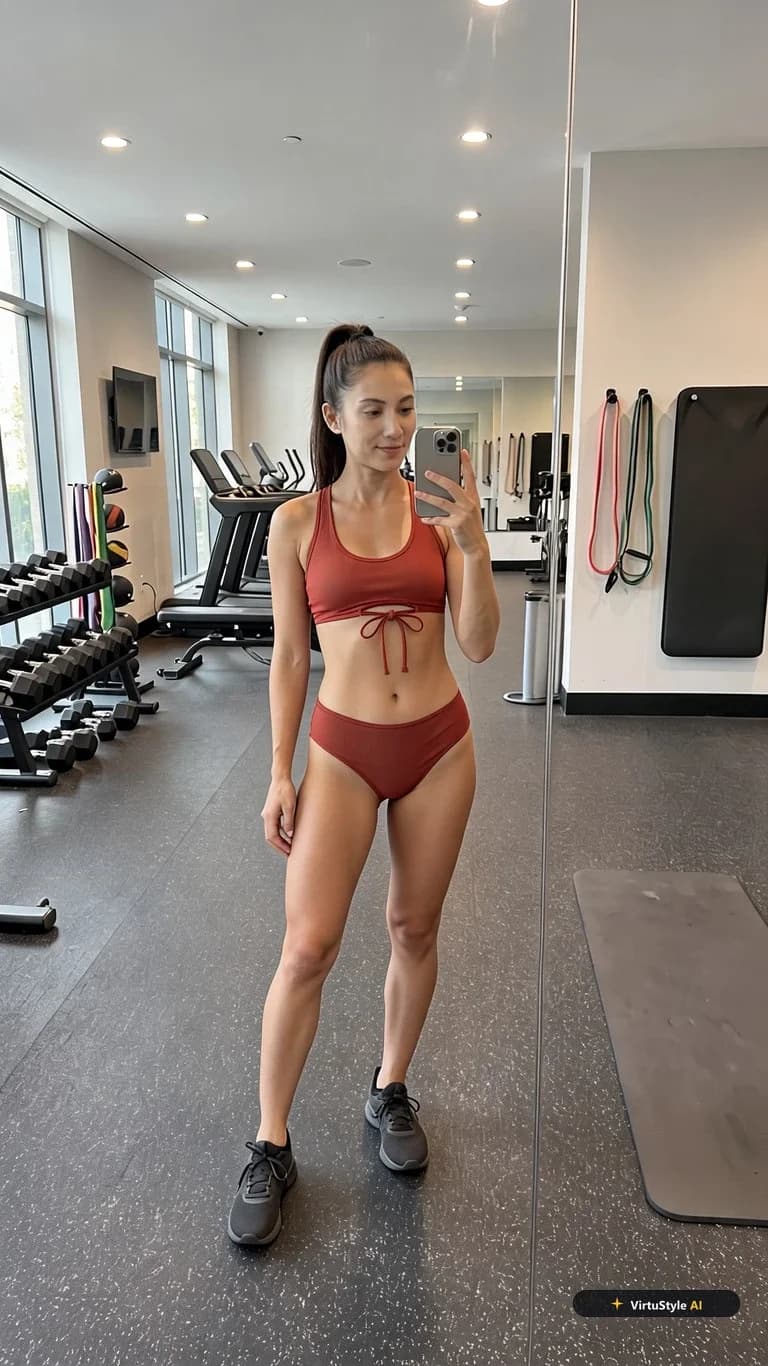
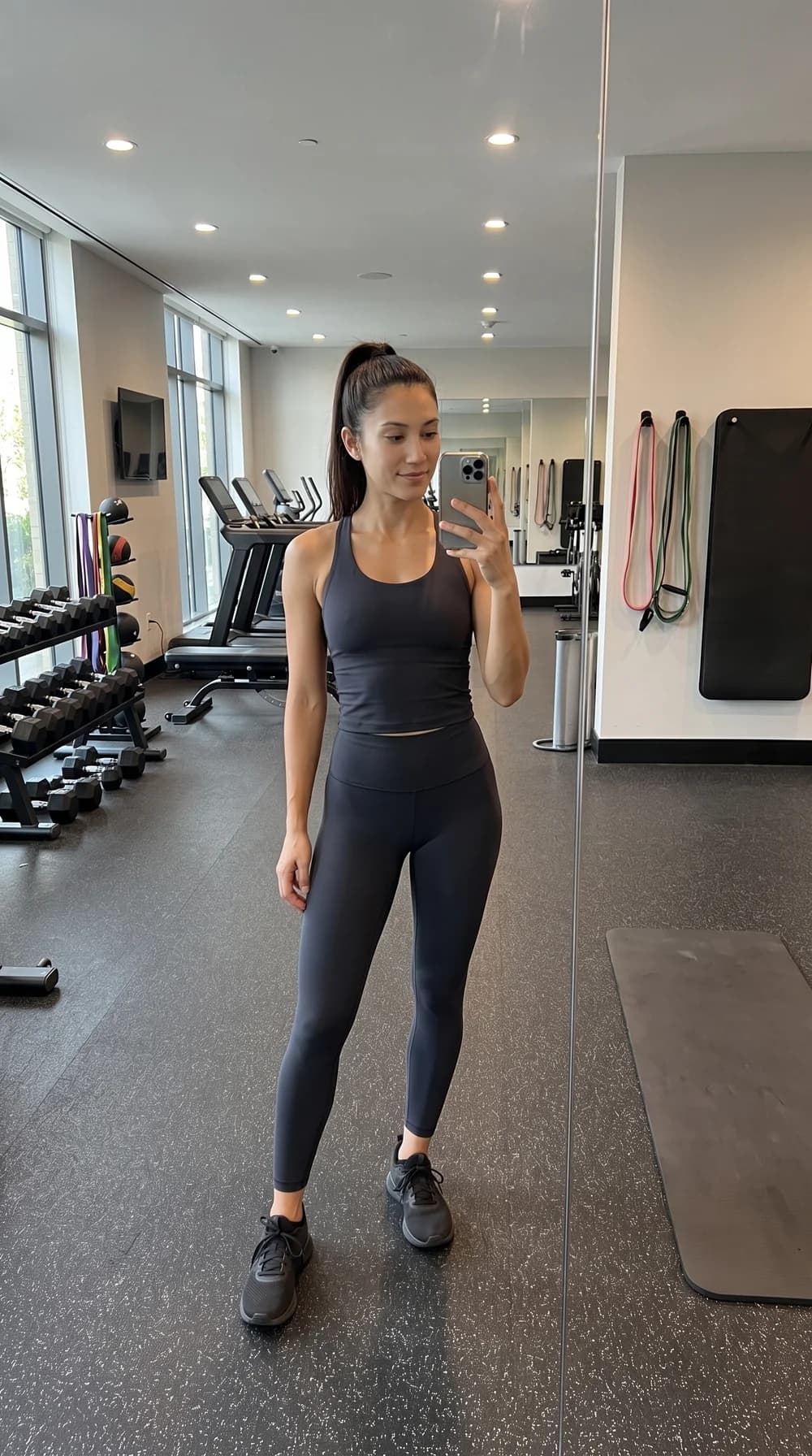
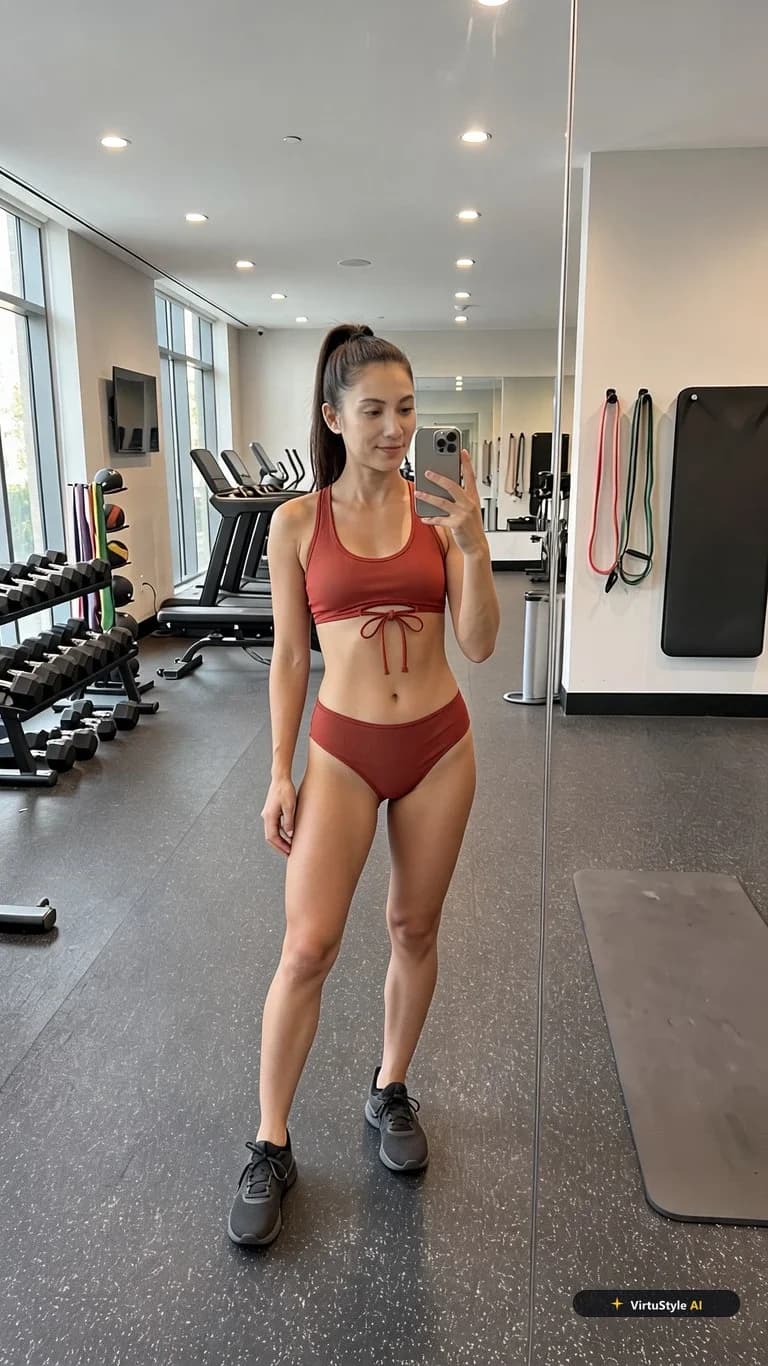
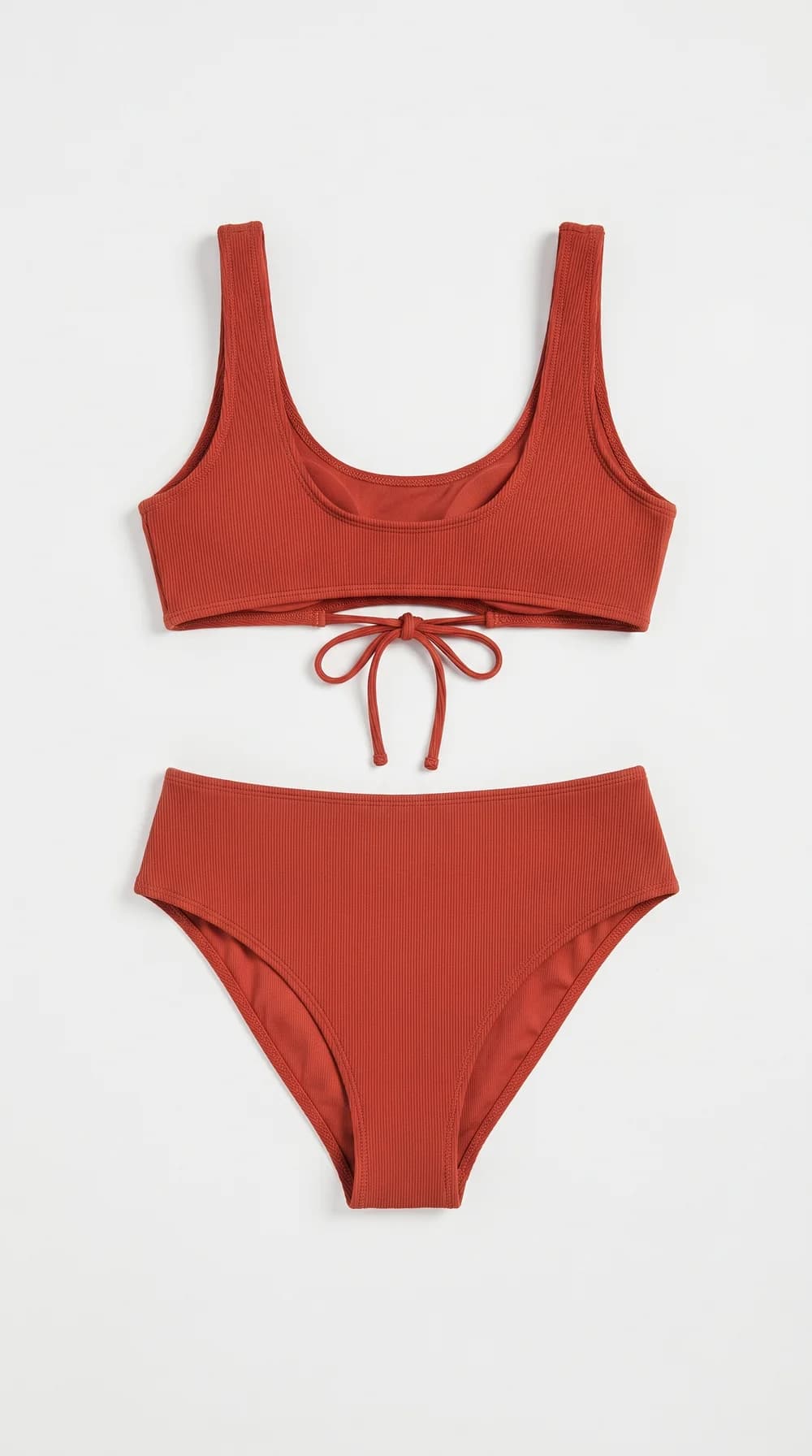
The example discussed here is a terracotta two-piece preview. The starting photo shows a person in sportswear; the garment image shows a top and bottom against a light background. Both the model and swimsuit were AI-generated: this is not a Victoria’s Secret or other branded product. The result conveys the colour and front tie, but fabric texture is less distinct than in the garment image.
2. Prepare photos and start the preview
The supplied demonstration has three inputs to consider: a gym photograph in opaque sportswear, a flat-lay terracotta two-piece and the resulting swimsuit preview. The person and garment were generated with AI. No retailer supplied this example, and the swimsuit should not be labelled as a Victoria’s Secret item. The visible VirtuStyle mark belongs to the generated result.
Inspect the wide shoulder straps and small front knot first. Their broad shapes carry through to the output, making the example useful for discussing appearance. Next compare the ribbed textile: it is more pronounced in the flat-lay than on the rendered body. That difference illustrates why convincing imagery cannot certify stitching, thickness, lining or construction.
3. Review the result before ordering
For your own attempt, start from a photograph taken while wearing opaque clothing. Expose neither intimate areas nor personal documents. This category is for adults aged 18 or over; photographs of minors and nude uploads are unsuitable. Use a front-facing garment reference where both pieces are visible if you intend to preview the complete set.
Assess swimwear physically as well as visually. Bust support depends on band, cups, straps and actual tension; waistband comfort depends on elastic and measurements. Pool or sea use introduces questions about wet opacity, drying, chlorine resistance and movement that a still image cannot answer. Ask the seller about composition and lining, check separate top/bottom sizing where offered, and read hygiene-related return conditions before ordering. This service provides a visual idea, never a verified fitting or a guarantee of support.
Frequently asked questions
Can I just paste a shop link?→
No. This workflow uses an uploaded garment image; automatic product-link import is not claimed here.
Can I select a size from the result?→
No. Use measurements and the specific item’s size chart.
Is this the retailer’s official try-on?→
No. VirtuStyle does not claim partnerships with the mentioned retailers. AI illustrations are not photos of their products.
What to remember
Prepare two files: a person photo and the selected garment image. AI try-on previews a look; it does not guarantee size or physical fit. VirtuStyle is independent; retailer mentions do not imply a partnership.